THIS PROCEDURE MUST BE PERFORMED BY A QUALIFIED TECHNICIAN.
 WARNING
HAZARDOUS VOLTAGE: Risk of electric shock. Can cause injury or death. System may be connected to more than one branch circuit. Disconnect power to all circuits before servicing. Equipment must be serviced by a qualified technician.
Verify Operating Mode
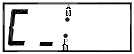
Verify the operating mode shown on the display corresponds with the power company’s peak control signal. Refer to the Operating Status section for more information on the proper operating mode.
Verify Outdoor Temperature
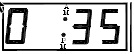
Press the up arrow one time and verify the outdoor temperature information shown on the display is approximately the same as the current outdoor temperature. Refer to the Operating Status section for more information on the outdoor temperature display.
Check Heat Call
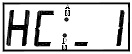
Initiate a heat call from the room thermostat and verify the heating system recognizes the heat call. The supply air blower should operate. In an application interfacing the Comfort Plus system with an air conditioner or heat pump, verify that this device is operating appropriately. Refer to the Operating Status section for more information on the heat call status display.
Initiate Cooling Call
Initiate a cooling call from the room thermostat, if applicable, and verify that the Comfort Plus system recognizes the “COOL” call. The supply air blower should operate. In an application interfacing the Comfort Plus system with an air conditioner or heat pump, verify that this device is operating appropriately.
Initiate Override
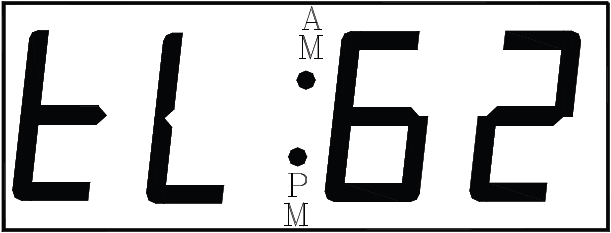
Press the up arrow until the targeted brick core charge level is displayed. With the system in an off-peak (charge) mode, initiate a charge control override. Once initiated, the target level of the heating system should be 100 percent and the display should show “tL: F”. All of the elements should be energized.
Verify Amperage
With an amp meter, verify that the amperage of the system is correct for the installation. Refer to the System Identification Label on the heating system for information regarding the proper amperage. Also, reference this Full Load Current Table.
Cancel Override
Cancel the charge control override and verify that all elements in the system de-energize. Refer to the Charge Control Override section for instructions on canceling the charge control override.
Verify Operating Mode
Verify, once again, that the Operating Mode displayed on the control panel corresponds with the power company's peak control signal.
Powerline Carrier Users
In applications utilizing the Steffes Power Line Carrier control system, complete the Installer’s Final Check-out Procedure in the Owner’s and Installer’s Manual provided with that device.
Register System
Give the customer the User’s Guide and Warranty Registration Card. The registration card (available online) must be submitted to ensure warranty coverage.